


LibreOffice Suite Certification Program
Build practical expertise in document creation, data management, presentations, and office workflows using LibreOffice tools.
- ✔ Document, Spreadsheet & Presentation Mastery
- ✔ Hands-on with Writer, Calc, Impress & More
- ✔ Practical Training with Real-World Office Scenarios

Next Cohort Starts
15th May, 2026
Program Duration
3 Months
Learning Format
Live, Instructor-Led + Hands-on Labs
Why Join this Certification Program
Office Productivity Expertise
Create professional documents, manage data, and design presentations using structured workflows and tools.
Certification-Focused Preparation
Structured training aligned with LibreOffice productivity practices and real-world usage scenarios.
Industry Aligned Curriculum
Learn Writer, Calc, Impress, Draw, Base, and Math with practical business use cases.
Career-Ready Productivity Skills
Build practical skills required for office operations, reporting, data handling, and documentation.
Next Cohort Starts On
15th May 2026
Days
Hrs
Min
Sec
LibreOffice Certification Advantage
This program prepares you to work efficiently with the LibreOffice Suite. You will learn how to create, manage, and optimize documents, spreadsheets, and presentations aligned with real-world business requirements.
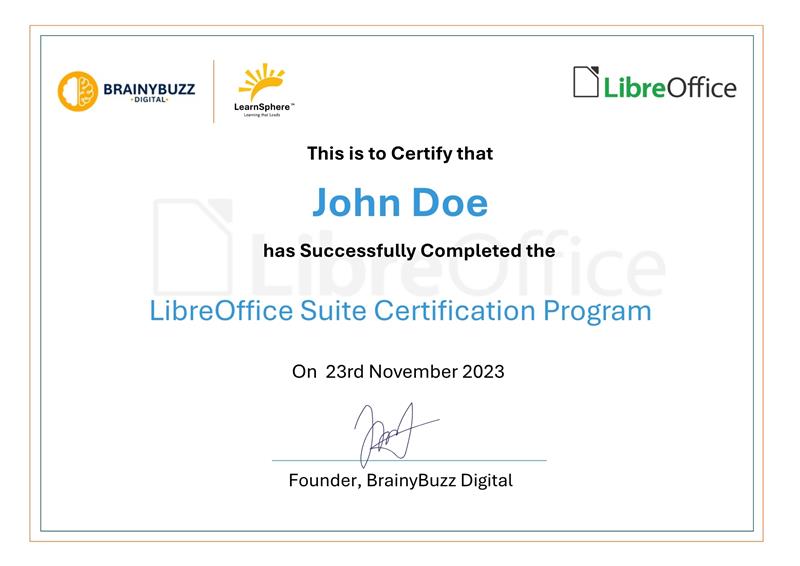
Earn Your LibreOffice Certification
-
✓
Master document, spreadsheet, and presentation tools
-
✓
Understand structured document and data workflows
-
✓
Work with Writer, Calc, Impress, and other LibreOffice tools
-
✓
Improve productivity and efficiency in daily office tasks
Program Training Advantage
-
✓
Hands-on exercises with real office scenarios
-
✓
Practical workflows for reporting and data handling
-
✓
Multi-tool productivity using LibreOffice suite
-
✓
Industry-relevant skills for office and operations roles
Learning Path
LibreOffice Suite Certification Program
Office Productivity & Workflow Management Program
Design, manage, and optimize documents, data, and presentations using structured workflows aligned with real-world office and business requirements.
Module 1: Foundation & Workspace Setup
- Introduction to LibreOffice tools
- Installation and environment setup
- Interface and navigation basics
Module 2: Document Creation & Management
- Document creation using Writer
- Formatting, styles, and layouts
- Advanced document structuring
Module 3: Spreadsheet & Data Handling
- Spreadsheet creation using Calc
- Formulas, functions, and data analysis
- Reporting and data visualization
Module 4: Presentations & Visual Content
- Presentation design using Impress
- Visual content creation using Draw
- Mathematical formulas and structured content
Module 5: Database, Automation & Collaboration
- Database basics using Base
- Productivity tools and automation
- File management and collaboration
Request More Information
Get detailed curriculum, batch schedule & pricing.
Course Overview: LibreOffice Suite
The LibreOffice Training on LearnSphere provides hands-on exposure to document creation, data management, presentations, and office workflows using LibreOffice tools aligned with real-world business requirements.
You will learn how to:
-
Create professional documents using Writer
-
Manage and analyze data using Calc
-
Design presentations using Impress
-
Work with Draw, Base, and Math tools
-
Manage files and collaborate efficiently
Aligned with productivity and workplace requirements
This program focuses on practical office workflows and real-world tasks that directly map to business and professional environments.
Format
Instructor-led + Hands-on Labs
Ideal for
Students, Office Executives, Data Entry Operators, Freelancers, Professionals
Outcome
Job-ready office productivity skills
Skills Covered for LibreOffice
Build real office productivity capability with a structured, practical skill roadmap using LibreOffice tools.
Skills Covered
-
Document creation and formatting
-
Spreadsheet management and data analysis
-
Presentation design and delivery
-
File handling and document workflows
-
Database basics and data organization
-
Productivity tools and automation
-
Collaboration and file sharing
What makes it practical?
LearnSphere focuses on hands-on office tasks, so you can confidently manage real business workflows, not just “learn the tools”.
Hands-on
Exercises + real office workflow scenarios
Support
Doubt clearing + practical guidance
Outcome
Job-ready productivity skills
Build an office-ready career
Office productivity skills are essential across business operations, administration, reporting, data handling, and day-to-day professional workflows in almost every industry.
Faster role readiness with structured practice
Learn document creation, spreadsheets, presentations, and office workflows the same way you’ll use them in real job roles.
Strong foundation for office & business roles
LibreOffice skills prepare you for roles like Office Executive, Data Entry Operator, Administrative Assistant, and more.
Certification You Will Prepare For: LibreOffice Suite
LibreOffice Certification Program
-
Create and manage documents
Use Writer to create structured documents, reports, and formatted content.
-
Manage spreadsheets and data
Use Calc for data entry, analysis, formulas, and reporting.
-
Design presentations
Create professional presentations using Impress.
-
Work with additional tools
Use Draw, Base, and Math for visual content, databases, and formulas.
-
Improve productivity and workflows
Optimize daily tasks using structured tools and efficient workflows.

What you get with LearnSphere’s LibreOffice program
A practical, structured learning journey designed for office productivity and real-world business workflows.
Program Highlights
-
Hands-on document and data management tasks
-
Structured modules with guided practice
-
Writer, Calc, Impress and full suite coverage
-
Real-world office workflow training
-
Productivity and efficiency improvement techniques
-
Access to learning resources and practice scenarios (as applicable)
Who is this for?
-
Students and freshers
-
Office Executives and Admin professionals
-
Data Entry and Operations teams
-
Freelancers and entrepreneurs
-
Professionals improving productivity skills
-
Corporate teams and business users
Real Businesses. Real Growth. Powered by BuzzCart
“BuzzCart turned WhatsApp into our highest-converting sales channel. Checkout is faster, follow-ups are automated, and repeat orders have increased significantly.”
Amit Verma
Founder, D2C Fashion Brand
“We reduced cart drop-offs and customer support load within two weeks. BuzzCart’s automation and WhatsApp checkout are a game changer.”
Neha Kapoor
Head of E-commerce
“Order tracking, payments, and customer queries are fully automated now. Our team handles more orders with the same manpower.”
Rahul Mehta
Operations Manager
“BuzzCart scales beautifully for large teams. Multiple agents, analytics, CRM, and WhatsApp automation—all from one dashboard.”
Sandeep Jain
Enterprise Sales Lead
“Our WhatsApp campaigns perform better without spamming customers. Opt-in messaging and automation helped us boost engagement and ROI.”
Pooja Sharma
Marketing Lead
“BuzzCart helped us handle high chat volume effortlessly. AI replies, order updates, and smart follow-ups improved customer satisfaction.”
Karan Malhotra
Customer Success Manager
“BuzzCart turned WhatsApp into our highest-converting sales channel. Checkout is faster and repeat orders have increased significantly.”
Amit Verma
Founder, D2C Fashion Brand
“We reduced cart drop-offs and support load within two weeks. Automation changed our workflow completely.”
Neha Kapoor
Head of E-commerce
Common questions about LibreOffice on LearnSphere
Students, professionals, office executives, data entry operators, and anyone looking to improve productivity and office skills.
Yes. The program covers Writer, Calc, Impress, Draw, Base, and Math with practical real-world use cases.
Yes. Access to session recordings and learning resources may be provided (as applicable).
Yes. LearnSphere offers customized training programs for organizations and teams.
No. The program starts from basics and is suitable for beginners as well as professionals looking to improve their skills.


Build a complete website using the assistance
Start your free trial today and see your ideas come to life easily and creatively.
-
15-Day free trial